Acer Nitro ED340CUR: Cheapest Ultrawide Gaming Monitor Worth Buying?
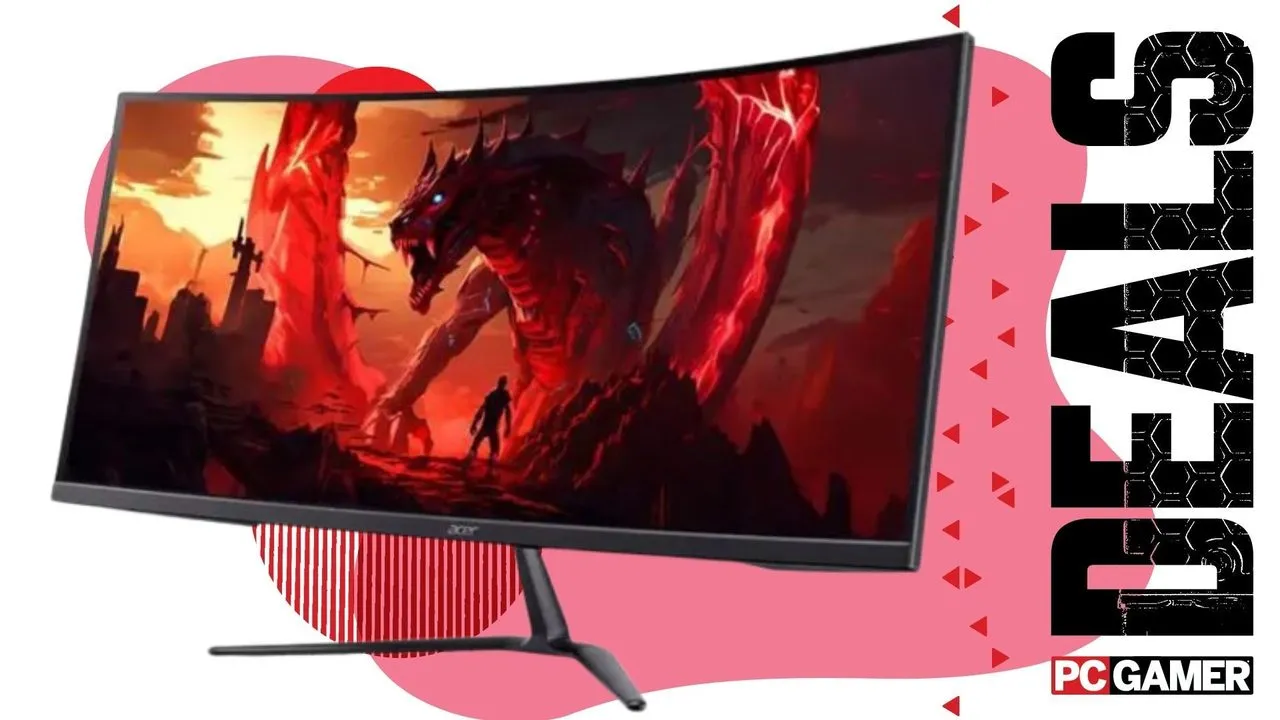
If you have been curious about jumping into ultrawide gaming without spending a fortune, the Acer Nitro ED340CUR looks like one of the most appealing budget options around. It makes a few smart compromises with its VA panel and 120 Hz refresh rate, but in return you get a roomy 34-inch 3440 x 1440 display, a curved screen, and the kind of immersion that can make racing games, RPGs, and strategy titles feel far bigger than they do on a standard monitor.
Ultrawide monitors have built a loyal following for a reason. Once you get used to that wider field of view, it can be hard to go back. In some games, the extra screen space is purely about immersion. In others, it can actually help you play better by giving you a broader look at the action. That is why a monitor like the Acer Nitro ED340CUR immediately stands out when it lands at a budget-friendly price point.
At the heart of the display is a 34-inch ultrawide panel with a 3440 x 1440 resolution. That combination is a sweet spot for a lot of PC gamers. It is sharper and more expansive than standard 1080p, but it is not as brutally demanding as full 4K. If you have a mid-range gaming PC, this is the kind of resolution that can still deliver strong frame rates while giving your games a much more cinematic look.
The 1500R curve also plays a big role here. Curved ultrawides are not just a visual gimmick when done properly. On a screen this wide, the curve helps keep the edges of the display within a more comfortable viewing angle. That makes the monitor feel more natural to use and adds to the wraparound effect. In open-world games, driving sims, and first-person titles, that extra sense of being surrounded by the game world can be a huge selling point.
Of course, this monitor does not come without trade-offs. The biggest one is the panel technology. This is a VA display, not IPS and definitely not OLED. That means you should not expect the same level of color vibrancy or viewing angles you would get from more premium options. VA panels can still look good, especially in gaming, but they are usually chosen because they help keep costs down. For a budget ultrawide, that is a compromise many players will probably accept.
The 120 Hz refresh rate is another point worth discussing. In the current monitor market, 120 Hz no longer sounds especially flashy. There are plenty of 144 Hz, 165 Hz, and even faster gaming monitors out there. Still, 120 Hz is far from bad. It is a major step up from 60 Hz and gives you noticeably smoother gameplay in shooters, action games, and anything fast-paced. Unless you are a highly competitive player chasing every last frame, 120 Hz remains perfectly solid for gaming.
Response time also matters, and a 1 ms figure on the spec sheet will catch attention. As always, real-world motion performance can vary depending on tuning and overdrive settings, but budget gaming monitors have improved a lot over the years. For most players, this screen should feel responsive enough for everyday gaming without becoming a distraction.
Where this Acer really earns its place is value. Budget ultrawides often ask you to compromise so much that the low price stops being worth it. You might get a weak resolution, a poor-quality panel, or sluggish performance. The ED340CUR seems to avoid the worst of those pitfalls. You still get a high enough resolution to make the ultrawide format shine, a decent refresh rate, and a curved panel that suits the size well. That is a pretty strong package if your goal is to spend as little as possible while still getting a monitor you will genuinely enjoy using.
The ultrawide experience itself is a huge part of the appeal. Games like Cyberpunk-style open-world adventures, racing games, and large-scale strategy titles benefit massively from the added width. City skylines stretch farther, roads feel more enveloping, and battlefields become easier to read at a glance. It is one of those upgrades that can make familiar games feel fresh again.
That said, ultrawide gaming still has one old enemy: inconsistent support. Not every game is built with 21:9 displays in mind. Some titles handle it beautifully right out of the box, while others lock you into 16:9 with black bars on the sides. For players who enjoy older games or certain major releases that never got proper support, that can be frustrating. On PC, there are often community fixes and tools that help, but it is still something to keep in mind before buying any ultrawide monitor.
Even with that limitation, the format continues to win people over because the games that do support it well can look fantastic. Once you see a sprawling RPG or a detailed sim spread naturally across a 34-inch curved panel, the appeal becomes obvious.
So, is the Acer Nitro ED340CUR worth buying? If you want the absolute best color quality, the fastest refresh rates, or cutting-edge display tech, no. This is not that kind of monitor. But if you want an affordable entry into ultrawide gaming and you are willing to accept a few practical compromises, it looks like a very easy recommendation. It delivers the main thing people buy ultrawides for: a bigger, more immersive gaming experience without a premium price tag.
For budget-minded PC gamers, that might be exactly enough.