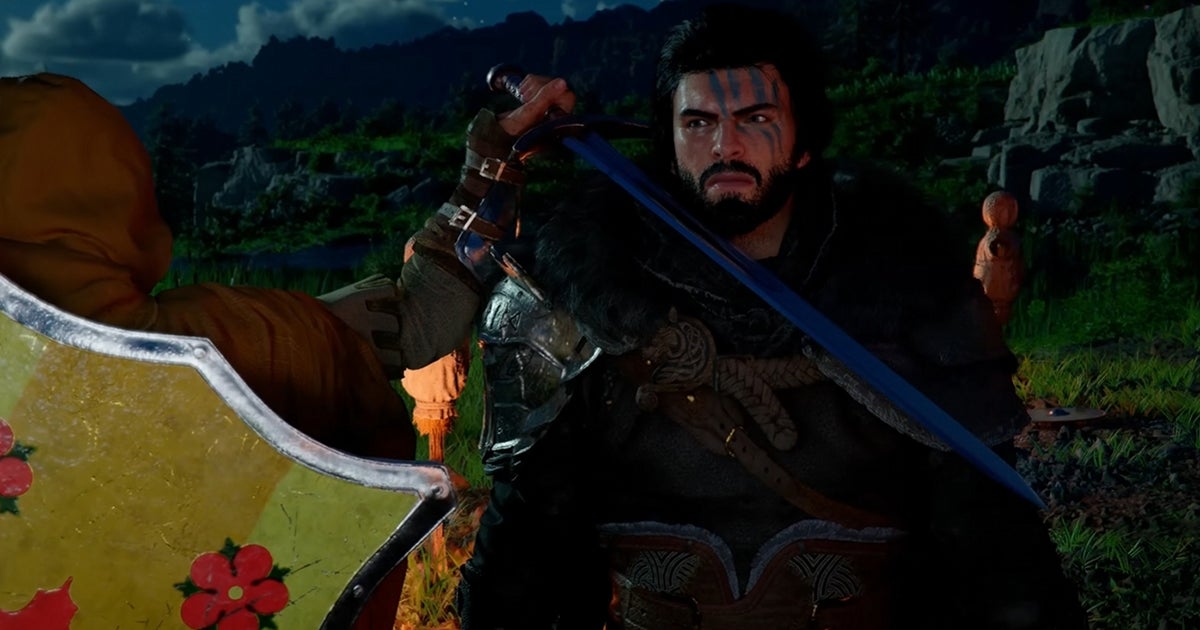
Summary: Nvidia’s DLSS 4.5 arrives with a sharper second‑gen Super Resolution Transformer and an upgraded Multi‑Frame Generation mode that can insert up to six AI frames per game frame on supported hardware. The result promises steadier image quality, smoother motion, and an optional target‑FPS mode to dial in your preferred feel—all while broadening benefits across multiple generations of RTX GPUs.
DLSS has always been about bending the rules of rendering without breaking immersion: render at a lower resolution, then reconstruct detail with machine learning so you get higher frame rates without a massive hit to clarity. With DLSS 4.5, Nvidia is pushing that philosophy in two directions at once—cleaner upscaling and more aggressive frame generation—aimed at keeping pace with demanding visuals and ever‑faster displays.
What DLSS actually does, in plain English
- Super Resolution: The game renders at a lower internal resolution for speed, then DLSS reconstructs the final image to your chosen resolution. Done right, you get close‑to‑native sharpness with much better performance.
- Frame Generation: On top of that, DLSS can synthesize entirely new frames between the ones the game renders, smoothing motion and drastically increasing reported FPS.
The first half of the 4.5 upgrade focuses on the former, the second on the latter.
What’s new in the Super Resolution Transformer DLSS 4.5 introduces a second‑generation transformer-based upscaler. In practice, that means:
- Better temporal stability during fast camera pans and chaotic action
- Reduced ghosting and flicker on fine detail like foliage, wires, and distant geometry
- Cleaner edges and less shimmer on specular highlights and subpixel detail
While that’s the glossy marketing headline, the practical win is consistency: fewer distracting artifacts when you’re sprinting through dense environments or flicking your aim across high‑contrast scenes. If you were on the fence about transformer‑based SR in previous versions, this iteration aims to make the choice straightforward.
Hardware support and expectations
- GeForce RTX 40 and 50 series: Full access to the new transformer model, with the largest quality and performance gains.
- GeForce RTX 20 and 30 series: Still see improvements from DLSS 4.5, though the uplift won’t be as dramatic due to architectural differences.
Translation: If your rig has an RTX card from the last few generations, you benefit. The newest GPUs get the shiniest version of the algorithm; older RTX hardware still gets a meaningful tune‑up.
6X Multi‑Frame Generation: the big swing Frame Generation used to add a single AI frame between game frames. Then Multi‑Frame Generation (MFG) arrived, letting the tech weave multiple frames in between to push refresh rates even higher. DLSS 4.5 takes that ceiling from four inserted frames to six on supported GPUs.
Why it matters:
- High refresh synergy: If you’ve got a 120 Hz, 165 Hz, or 240 Hz display, 6X MFG can keep motion buttery even in scenes that would normally dip below your panel’s sweet spot.
- Target‑FPS mode: A new dynamic option lets you set the frame rate you want, and DLSS adjusts the number of generated frames to hit that target. No more fiddling between 2X, 3X, 4X, or 6X—just set it and play.
Latency and competitive play caveats Generated frames don’t reduce input latency by themselves; they raise visual smoothness. Nvidia Reflex helps keep input snappy, but the golden rule still applies: if the base, non‑generated FPS is low, you may feel extra latency even if the counter screams triple‑digits. For twitch shooters or ultra‑competitive play, consider:
- Locking to a modest target FPS with MFG to balance smoothness and responsiveness
- Using Super Resolution without Frame Generation if you prioritize absolute input feel
- Enabling Reflex wherever available
Theoretical vs. practical performance On paper, inserting up to six frames per real frame sounds wild. In the real world, your experience hinges on:
- Your base frame rate before frame gen
- CPU headroom in busy scenes
- Your monitor’s refresh rate and VRR support
- The game’s DLSS integration quality
That’s why the new target‑FPS setting is so useful—it adapts on the fly so you can pick a feel (say, a locked 120 FPS) and let the GPU do the juggling.
Who benefits the most
- Ray‑traced showpieces: Path tracing, heavy RT shadows, and complex GI demand serious horsepower. DLSS 4.5 helps reclaim performance without trashing image stability.
- 4K and ultrawide gamers: The higher the pixel count, the more you gain from smart reconstruction and frame gen.
- CPU‑limited titles: In scenes where your processor is the bottleneck, Frame Generation can still raise perceived smoothness since the AI frames aren’t CPU‑bound in the same way.
Tuning tips for DLSS 4.5
- Start with Quality or Balanced SR: Let the new transformer show its stability chops. Only drop to Performance/Ultra Performance if you absolutely need the headroom.
- Use the new dynamic target for MFG: Pick an FPS that matches your display (120, 144, 165, 240) and let DLSS adapt instead of micromanaging multipliers.
- Pair with Reflex: Keep input latency in check, especially if you lean on heavier frame generation settings.
- Mind UI and text: If you spot haloing or ghost trails around HUD elements, try toggling in‑game UI upscaling options or step back one notch on frame generation.
- Sharpening: Adjust the in‑game sharpening slider for taste. With the new transformer, you may find you need less aggressive sharpening than before.
Game support and rollout DLSS support is now widespread across modern PC releases, with hundreds of games featuring some combination of Super Resolution, Frame Generation, and DLAA. As usual, availability depends on each title’s implementation and patches. The headline 6X MFG feature is limited to RTX 50‑series hardware, while the updated Super Resolution model supports a broader range of RTX GPUs. Expect steady adoption as developers roll in updates to existing titles and ship new games with DLSS 4.5 hooks ready to go.
Why this matters for PC gaming right now GPU prices are volatile and true generational leaps in raw raster performance aren’t as frequent as they used to be. DLSS is the pressure valve: it stretches your existing hardware further, keeps the latest visual features playable, and makes high refresh gaming attainable without dropping settings to the floor. The 4.5 update continues that trend—less shimmer, more stability, and a smarter, more aggressive frame generation option that meets you where you (and your display) are.
Bottom line
- If you’re on RTX 40 or 50 series: Jump in. The second‑gen transformer is a clear win, and the new multi‑frame options give you finer control over smoothness.
- On RTX 20 or 30 series: Still worth it. You’ll see cleaner reconstruction and steadier detail, even if you can’t ride the 6X wave.
- Competitive focus: Stick to SR + Reflex and be cautious with heavy frame gen. For cinematic single‑player or big‑screen couch PC play, go wild.
DLSS 4.5 doesn’t rewrite the rulebook, but it fills in the margins with smarter math and better tools. If you’ve been waiting for the transformer model to fully mature—or for frame generation to feel less all‑or‑nothing—the 4.5 package is the most convincing form of DLSS yet.